⚡ For India's heavy readers

Read everything
you meant to read.

Newsletters, reports, research papers — they pile up faster than you can read them. SpeedLens helps Indian professionals get through their reading list without falling behind. Two modes, zero gimmicks, priced in rupees.

Free to use  ·  No credit card  ·  Pay via UPI

Flash mode — live demo
Read
300 WPM

Up and running in 60 seconds

No account needed. No configuration. Just install and start reading faster.

01
🔌

Install the extension

Click "Add to Chrome" above. Chrome may show a safety notice for new extensions — that's normal. SpeedLens is safe to install.

02
🖱️

Get text in — 3 ways

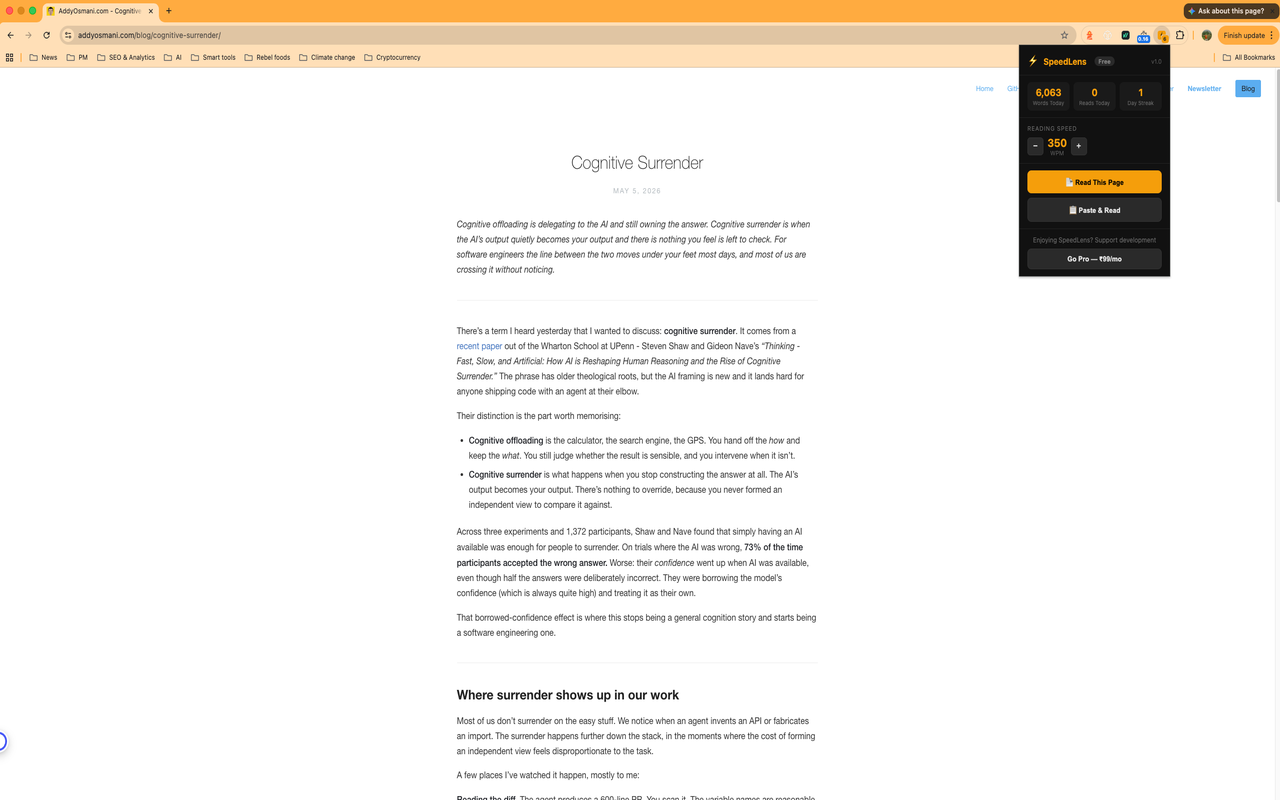
Highlight text on any page and pick a mode. Or click the toolbar icon → Read This Page to extract the full article. Or copy from a PDF or email and use Paste & Read.

03

Start reading faster

Choose Flash or Bionic mode. Use arrow keys to adjust speed. Press Space to pause. Esc to close.

Works wherever your reading pile lives

Substack newsletters, industry reports, Wikipedia, research papers, Times of India, analyst PDFs — if you can highlight or copy it, SpeedLens can read it.
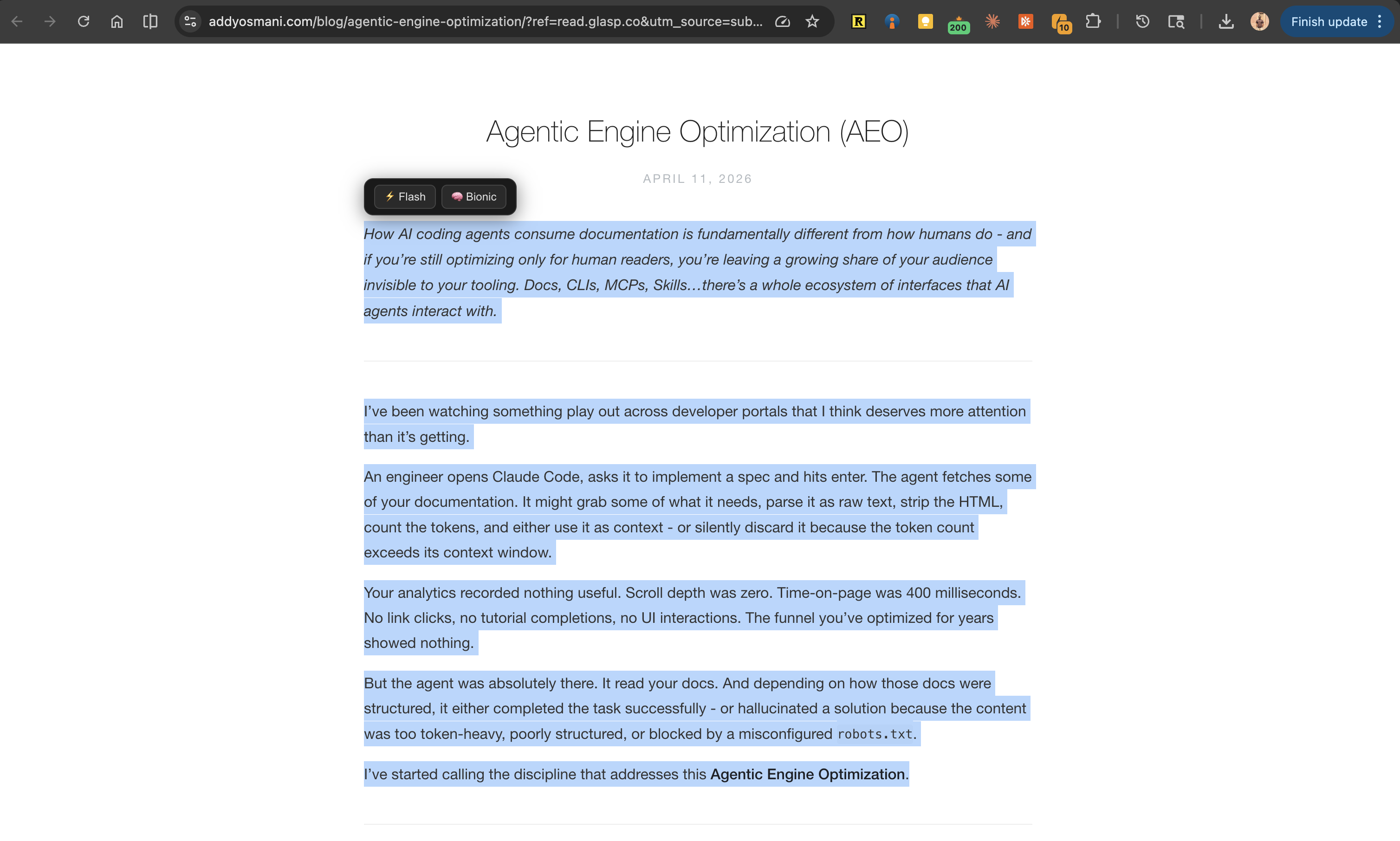
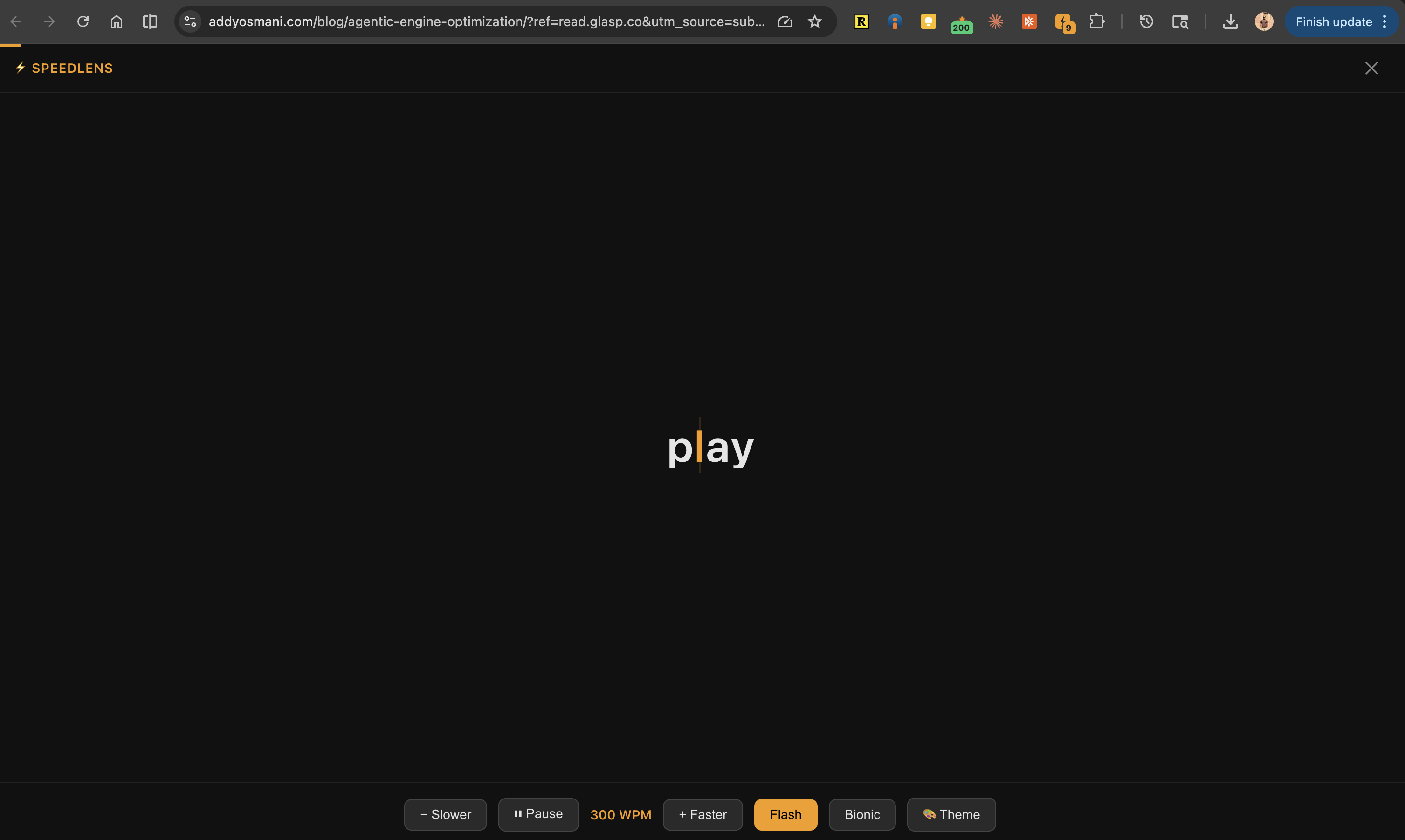
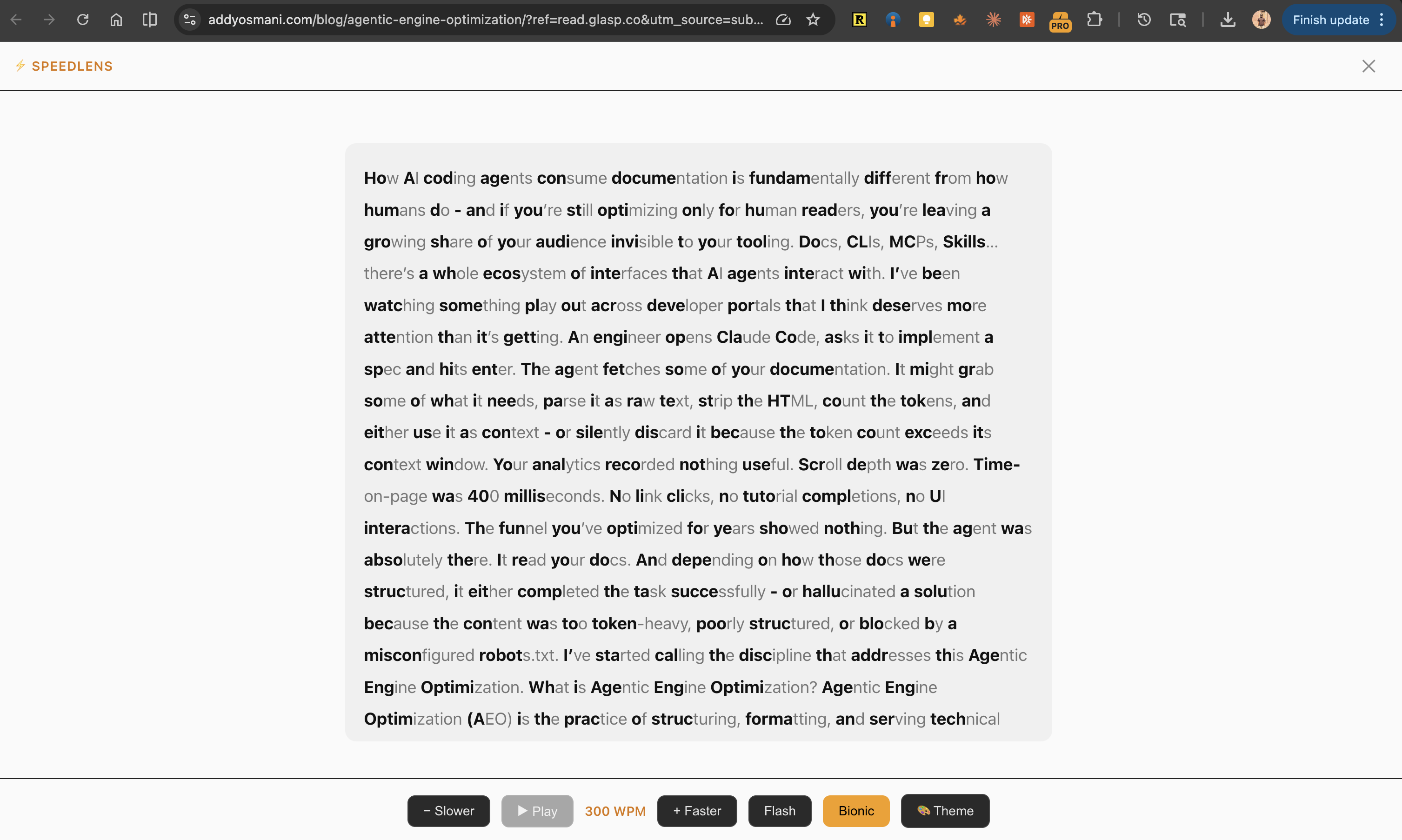
SpeedLens floating widget on Addy Osmani's Agentic Engine Optimization article
SpeedLens widget on a blog article SpeedLens Flash mode reading at 300 WPM SpeedLens Bionic mode with bolded word anchors SpeedLens popup with Read This Page and Paste & Read

Engineered to read faster

Most speed readers force you to pick a technique. SpeedLens gives you both — Flash for raw speed, Bionic for deep retention. Switch anytime, mid-article.

⚡ RSVP

Flash Mode

Words appear one at a time, centered on screen. Your eyes stay fixed — no movement, no wandering, no losing your place. Best for getting through high-volume reading: newsletters, news, articles, and anything in your backlog that needs to get done.

Get through your reading pile, faster
👁 Bionic

Bionic Mode

The first 40% of every word is bolded. Your brain fills in the rest — you read in a natural flow, just faster. Best for reading that requires retention: research papers, client reports, and complex material you actually need to remember.

Read with retention, not just speed

Built for people with more to read than time to read it

If reading is part of your job, SpeedLens is for you.

📊

Product Managers

Competitor analysis landed in your inbox at 9am. Standup is at 10. Flash through the key sections in minutes, not an hour.

📈

Analysts & Finance Professionals

Five industry newsletters every morning before markets open. Read This Page, one by one, and actually finish them.

🔬

Researchers

Paper backlog growing faster than you can clear it. Paste the abstract and introduction into Bionic mode — decide in 90 seconds if it's worth a deep read.

💼

Consultants & Lawyers

Client sent a 60-page report the night before the meeting. Bionic mode gets you through dense material with retention, not just speed.

Simple, honest pricing

Start free. Upgrade when you're ready. Priced in rupees — pay via UPI, net banking, or card. No international card needed.

🇮🇳  Priced in ₹ — not dollars | ⚡  Pay via UPI, net banking, or card | ✓  Free forever — unlimited reads
Free
0
forever
 
  • Unlimited reads
  • Flash reading mode
  • Bionic reading mode
  • Speed adjustment
  • Clipboard & page reader
  • All 4 themes
Add to Chrome
Pro Monthly
99
per month
 
  • Unlimited reads
  • Flash reading mode
  • Bionic reading mode
  • Speed 50–1000 WPM
  • Clipboard & page reader
  • All 4 themes
Add to Chrome
Lifetime
1,999
one-time payment
Never pay again
  • Unlimited reads, forever
  • Flash reading mode
  • Bionic reading mode
  • Speed 50–1000 WPM
  • Clipboard & page reader
  • All 4 themes
Add to Chrome

All payments processed securely via Razorpay  ·  Prices in INR  ·  Cancel anytime
7-day refund policy — email support@speedlens.in with your order ID

Common questions

Anything else? Email us at support@speedlens.in

Is SpeedLens really free?
Yes. SpeedLens is free to use with no daily limit — no credit card required, no account needed. Pro is for people who want to support development and unlock all 4 themes.
What's the difference between Flash and Bionic mode?
Flash (RSVP) shows one word at a time so your eyes stay still — great for raw speed. Bionic mode bolds the start of each word so your eyes glide faster while reading in a natural flow — better for retention and complex text.
Does reading faster affect comprehension?
It depends on how and what you read. Flash mode at moderate speeds (300–500 WPM) works well for familiar material — news, newsletters, summaries — where the goal is to get through volume. Bionic mode is better suited for complex or technical material you need to retain, since it preserves a natural reading flow while reducing eye movement. We don't claim Flash mode replaces deep reading for dense material — it's a tool for clearing the backlog, not a replacement for careful study.
Which websites does SpeedLens work on?
SpeedLens works on any webpage where you can highlight text — news articles, Wikipedia, Substack, Medium, research papers, PDFs opened in Chrome, and more.
Can SpeedLens read PDFs?
Yes — using Paste & Read. Open the PDF (in Adobe, your browser, or any reader), select all text (Ctrl+A / Cmd+A), copy it (Ctrl+C / Cmd+C), then click the SpeedLens icon and hit Paste & Read. SpeedLens will read the full copied text in Flash or Bionic mode. This also works with emails, ebooks, Google Docs, and anything else you can copy.
What is Paste & Read, and when should I use it?
Paste & Read lets you speed-read anything on your clipboard — not just webpages. Copy text from a PDF, email, ebook, or document, click the SpeedLens icon in your toolbar, and hit Paste & Read. SpeedLens instantly opens the reader with your copied content. Use it whenever "Read This Page" or text selection isn't an option.
How do I cancel my Pro subscription?
You can cancel anytime by emailing support@speedlens.in with your order ID. Your Pro access continues until the end of your current billing period. No questions asked.
Chrome showed a "Proceed with caution" warning — should I be worried?
No. Chrome's Enhanced Safe Browsing flags every new extension that hasn't yet built up enough install history — it's a reputation threshold, not a security verdict. SpeedLens has no remote code execution, does not read your browsing history, and does not transmit the text you highlight. You can verify this by inspecting the extension source. The warning disappears automatically as more users install it.
Is my reading data safe?
SpeedLens does not collect, store, or transmit the text you read. Your reading stays entirely on your device. The only data we handle is your email address if you subscribe to Pro, processed securely by Razorpay. See our Privacy Policy for full details.